v4.5 — Workspaces, Spatial Explore, Song Studio

Your Suno Library,
Unleashed

The ultimate Chrome extension for Suno power users. Browse your entire library offline, explore beautiful insights, track song lineage, and never lose a creation again.

30k+
Songs Supported
4.43★
Chrome Store
Local
Your Data Stays Yours

What users are saying

Reddit

"Seems too good to be true, honestly..."

24 hours later: "300K songs. Seamless. All what is pretended is true, and even better. This is insane work."

/u/Antique-Astronaut-46
Reddit

"Suno should adopt your wrapped concepts, the library DNA, the Lineage explorer, all of it."

/u/gotchapow
Chrome Web Store ★★★★★

"Must have if you're serious about using Suno beyond casual creation."

Levi Edwards
Reddit

"The insights are just so fun to see!"

/u/thegryphonator
Reddit

"Thanks for making such a useful device and then giving it to everyone."

/u/GroomLakeSkinnyDip
"Incredible. Wow..." /u/CarbonBallas
"THANK YOU!" /u/Baazar
"Nice work!" /u/hackercat2
"Cudos!" /u/2DrU3c
"The fun facts are very funny" /u/Antique-Astronaut-46
"Loving the lineage features!" /u/moloko_vellocet_
1100+
Users
4.43
Chrome Store Rating
Join r/SunoExplorer →

Everything You've Been Wishing For

Built by a Suno power user, for Suno power users. The features Suno forgot to build — the Suno library manager, backup, and offline tools serious creators rely on.

Power Search

A real query language for your music. AND, OR, exact phrases, negation, and field-specific search across style, lyrics, tags, title, and model — instant on 35,000+ songs.

Backup & Download

Own your music. Export your entire library — audio, artwork, lyrics, and metadata — to a folder you choose. Suno can change; your local backup won't. Learn more →

Use Suno Offline

Browse and play your Suno songs offline. Once indexed, your whole library works without internet — downloaded audio plays straight from disk. Learn more →

Cloud Sync & Explorer Go

Sign in once and your curation syncs across devices. Open Explorer Go on your phone, tablet, or any browser — no extension needed on the other end.

Spatial Explore

Your entire library as a living map. A UMAP atlas clusters every song by sound — hover to inspect, lasso-select regions to act on in bulk.

Workspaces

Group songs into named, color-coded workspaces that double as bulk-curation containers. Create from a filter, move clips in batches, sync across devices.

Lineage Explorer

Visualize your creative tree. See how each song evolved through extends, covers, and remasters — with audio playback at every node.

Song Studio

Batch-generate up to 20 songs per request. A persistent queue survives reloads and recovers from captchas automatically — no lost work.

Insights & Creative DNA

Heatmaps, genre breakdowns, achievements, and word-cloud fingerprints of your lyrics and tags. A full year of your creativity, visualized.

Power Curation

Curate at speed. Tag, annotate, rename, and mark definitive versions inline — one click per row, instant even on 35k+ libraries.

Find Similar Clips

Local-only similarity search across your whole library. Sub-second results on 37k+ clips, banded by how close they sound.

Suno.com Widgets

Lineage and variations right on suno.com. See a song's family tree without leaving the page you're already on.

Smart Library Browser

Every song you've ever made, grouped by version under one card. Grid or list, custom names, and sort by recent, likes, plays, or version count.

Advanced Filtering

Tri-state filters for model, source, audio, status, and curation. Click to include, click again to exclude — everything combines live.

Lyrics & Prompts Explorer

Browse, search, and copy every lyric and style prompt in your library — with or without tags. See which prompts produced the most songs.

Genre Explorer

Browse by semantic genre categories and cross-reference tags to rediscover forgotten corners of your library.

Samples Manager

A dedicated home for sound effects and samples — classify with a built-in taxonomy and export a Co-Composer-ready library.

Embeds Library

Build and save embeddable players with themes. Preview, tweak, and copy the iframe in one click.

Suno Wrapped

Shareable "Suno Wrapped" insight cards that turn your year of creating into something worth posting.

Smart Sync

Pull new songs from Suno or reconcile against local backups — at the speed you choose: Slow, Balanced, or Fast.

Suno Widgets

Explore lineage and curate your library directly on Suno.com. No more switching between tabs!

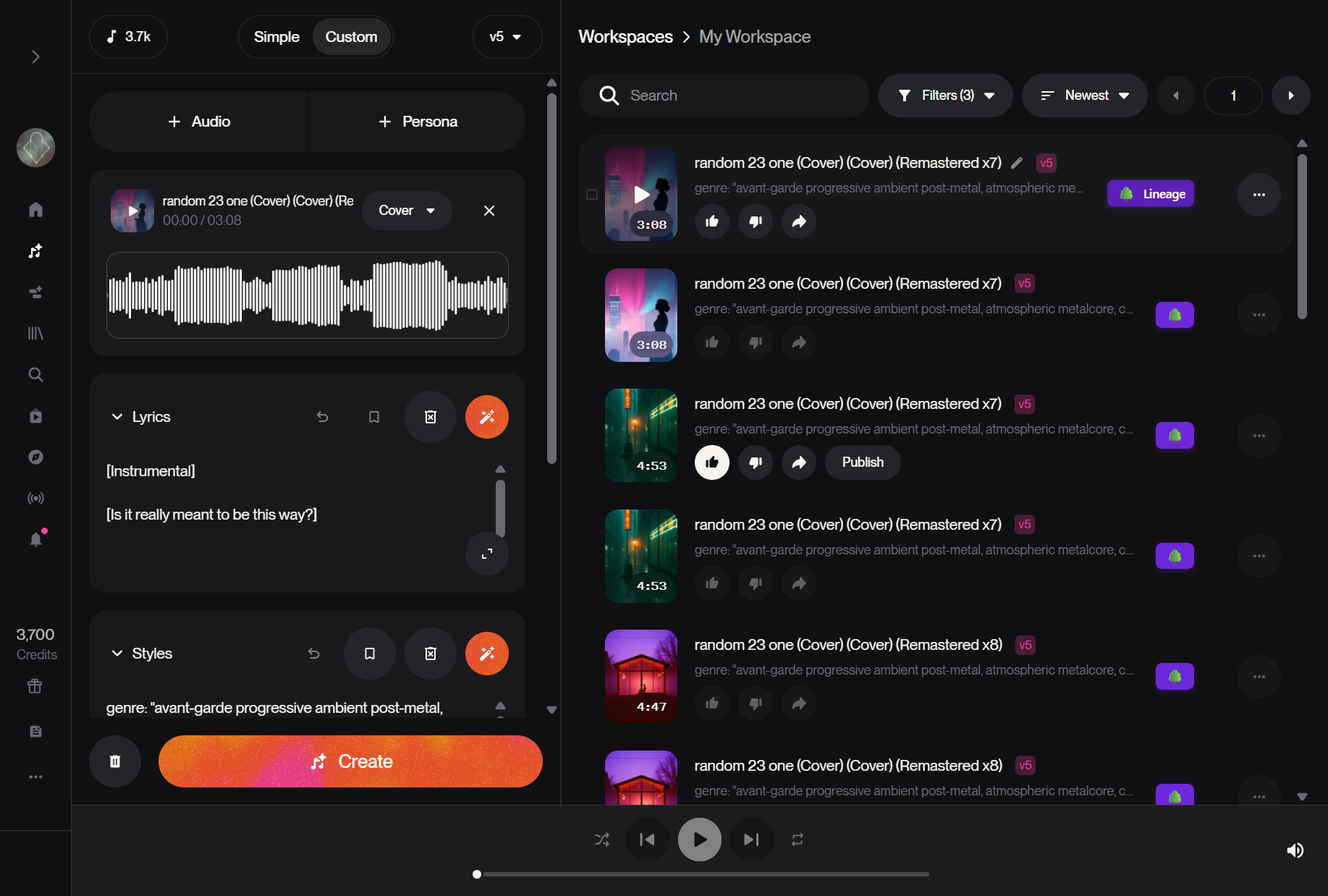
Inline Lineage Buttons

A small purple tree icon appears next to every song on Suno.com—in your library, playlists, and the player. Click it to instantly see the song's complete family tree.

Works on library, playlists, and song pages
View complete lineage or direct relationships
Variations tab shows all related songs
Play songs directly from the lineage viewer
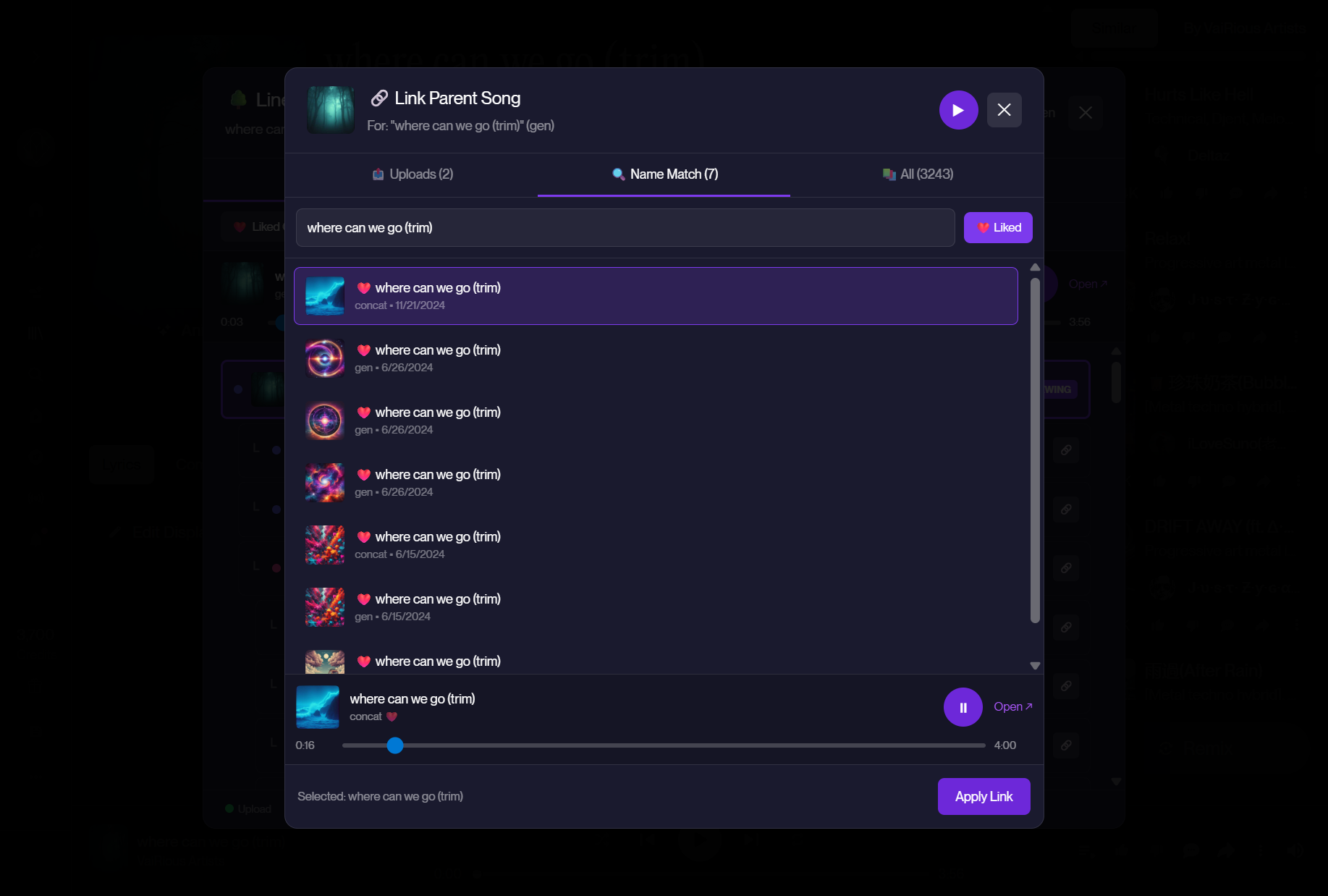
Fix Broken Lineage

Suno sometimes loses track of song relationships. When you spot orphaned songs, click to manually link them to their parents—right from within Suno.com.

Identifies concat clips and orphans automatically
Search your library to find the parent song
Preview songs before linking
Syncs to cloud if enabled
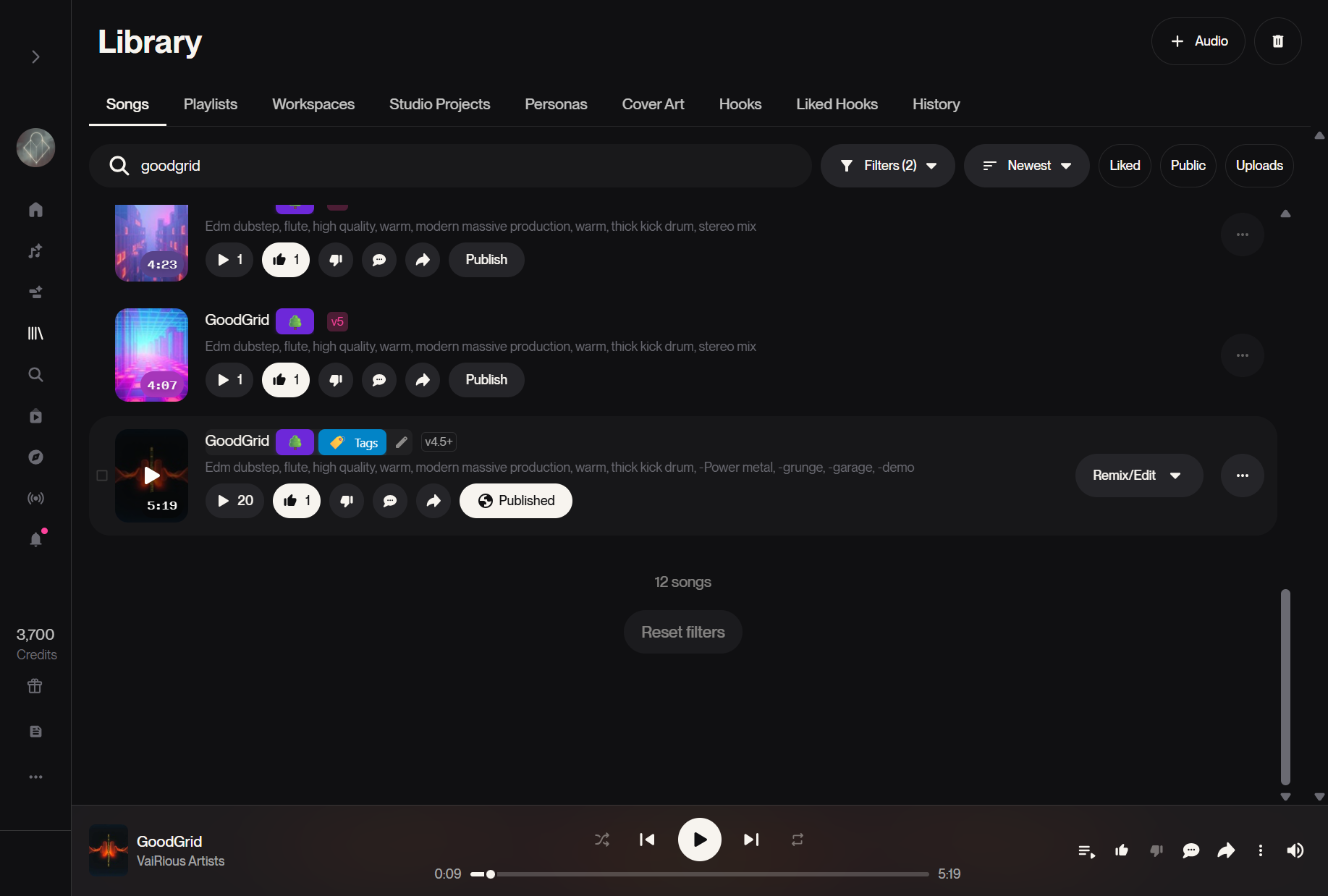
Tags & Notes

See your custom tags and notes right on Suno.com. A small tag icon appears next to songs with curation data, showing your organizational work at a glance.

View tags and notes on any song
Works alongside lineage buttons
Coming soon: Edit tags directly on Suno
Note: Suno Widgets require your library to be indexed first.

The extension injects these buttons onto Suno.com after matching songs with your local database.
See It In Action

Beautiful, functional, and built for power users.

Library Browser

Your entire Suno library at your fingertips. Filter by liked songs, uploads, instrumentals, and more. Version grouping automatically consolidates variations under one card.

Thumbnail, list, and collage view modes
Version browser with lineage tree
Quick stats and insights sidebar
Set definitive versions and custom names

Insights Dashboard

Discover patterns in your creative journey. From creation heatmaps to model usage, achievement badges to "Suno Wrapped" shareable cards.

Full-year creation heatmap with navigation
Top songs, tags, and genres
Achievement system with fun badges
Community percentile rankings

Lineage Explorer

Your songs have family trees. See how each creation evolved from its origin—whether it's an upload, a cover, or a chain of remasters.

Visual tree of song derivations
Track uploads and their derivatives
Collapse unliked versions

Creative DNA

Word clouds reveal your creative fingerprint. See which themes dominate your lyrics, which tags define your style, and discover patterns you didn't know you had.

Lyric analysis word cloud
Tag frequency visualization
Toggle words vs. full tags view
Creative DNA
electronic cinematic dark epic ambient synthwave melancholic orchestral dreamy rock ethereal powerful atmospheric upbeat pop

Backup Your Suno Library

Never lose your creations. Back up and download your entire Suno library to your computer in one click — full audio files, organized by song. Suno doesn't guarantee your library forever: if your account changes or the service goes down, your local backup keeps every track safe. Learn more about Suno backups →

Batch download all songs or select favorites
Organized folder structure with metadata
Download stems (vocals/instrumental) separately
Speed control: Slow, Balanced, or Fast
Slow Balanced Fast

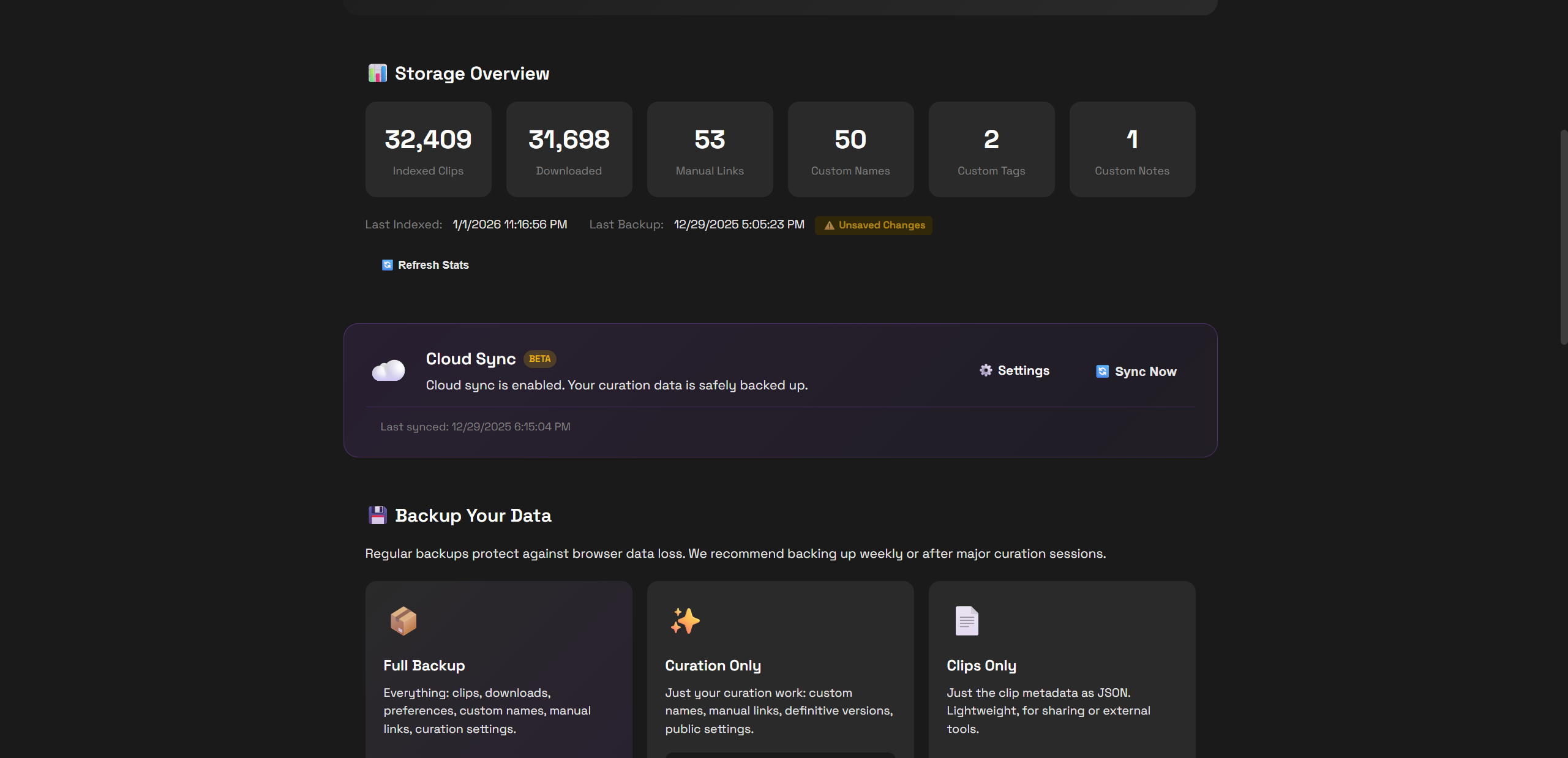
Data Management

Your data, your control. Export everything for backup, import on new devices, and manage your curation across sessions.

Full backup: clips + curation + settings
Merge or replace when importing
Manual link orphaned clips to fix lineage
Clear data selectively or start fresh

Cloud Sync

Never lose your curation work again. Enable cloud sync to automatically back up your custom names, tags, notes, and manual lineage links to the cloud.

Secure: Data tied to your Suno account
Custom names, tags, notes synced
Manual lineage links preserved
Restore on any device with one click
Free for curation data (lightweight)

Cloud sync only stores your curation data (~10-200KB), not your full library metadata. Enable it in Settings → Cloud Sync.

Up and Running in 60 Seconds

No account needed. Your library stays local. Optional anonymous analytics for community features.

1

Install Extension

Add Suno Explorer to Chrome. One click, completely free, no signup required.

2

Connect to Suno

Open suno.com while logged in and click "Connect" in the extension. That's it!

3

Index Your Library

Click "Index Library" and watch as your entire collection is cataloged locally.

4

Explore & Enjoy

Browse, search, play, and discover insights about your musical journey!

Your Library on Any Device

Browse, stream, and curate your Suno collection from your phone, tablet, or any browser.

Mobile Library

Your full Suno collection in your pocket. Browse, search, and stream from any device.

Cloud Sync

Push from the extension, pull anywhere. Tags, names, and notes travel with you.

Curate Anywhere

Tag, rename, and organize on the go. Changes sync back to the extension automatically.

Full Insights

Stats, heatmaps, achievements, and genre breakdowns — all in your browser.

Open Web App free .json import, subscription based cloud sync
Web app preview coming soon

Ready to Unleash Your Library?

Join thousands of Suno creators who've taken control of their music.